Purpose
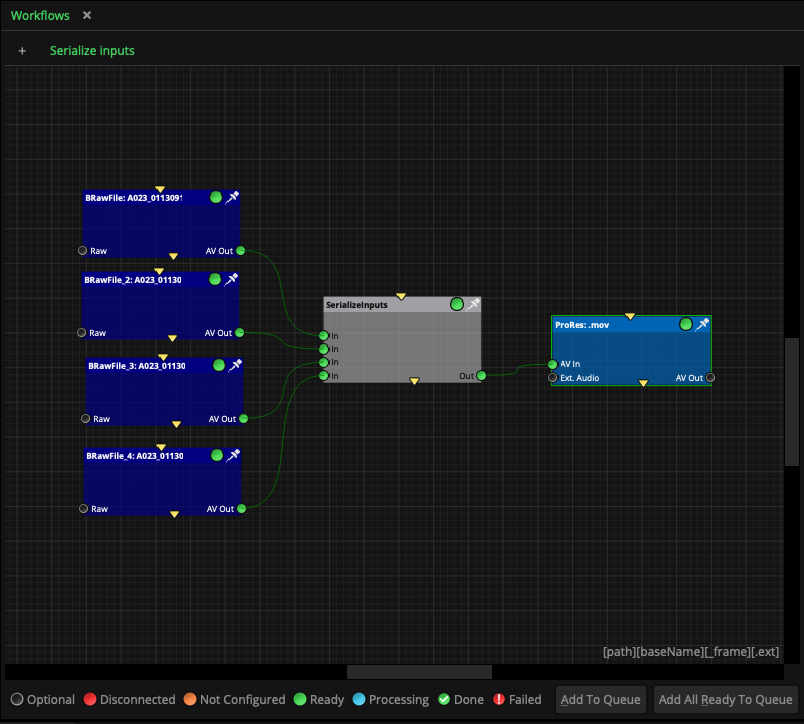
This node is used to join different inputs into the same task or output node. Equivalent to creating multiple copies of the node at the output connected to each input node, but much simpler.
Inputs
Every input that you need to create. The input connector is not visible if there are not inputs connected. To connect and display the connector, just drag and drop connector links from other nodes into this one.
Outputs
out: A standard output to other nodes, passing the content from the input nodes.
Standard properties
Object Name
Color
Lock
Node specific properties
Logical Operation (Or, And): The mode Or will pass any available files to the outputs, no matter if some input connectors are coming empty or not. The mode And will not pass any file to the output unless all the input connectors have a file available. For example this is convenient for workflows using multiple Folder or Watcher nodes requiring one file from each one, such as stereo pairs coming from two different folders and so on. The mode Or could also be used as a flow control node based on signaling files.
Developer reference (API Rest - node/SerializeInputs/property/[Property ID])
Property Label |
Property ID |
Logical Operation |
logicalOperation |