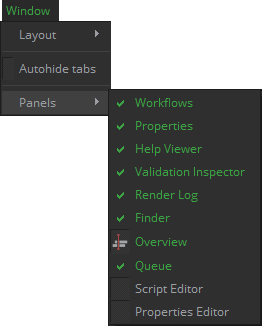
The window menu is focused on organizing the interface at your will. This permits to create a different GUI layout for each type of user.
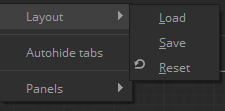
- Layout: Mistika Workflows is a dockable interface that can be reorganized at your will, and you can save different Layouts recall them later. By default, the last layout used on previous session will be loaded. You can also reset the interface to the default configuration.
- Autohide tabs: It will hide the labels of each tab when they are not necessary (when there is only one tab in a panel). This can make the interface cleaner and provides extra space. Deactivate it when you want to rearrange the panels around the interface, as for doing that you will need to drag the Tab labels.
- Panels: In this tab the user can decide which panels are shown and which are hidden. By default, only the Script Editor tab is hidden (as it is only useful for Python programmers). This permits to create different interface layouts for each user profile. For example, if a certain users is only responsible to monitor current workflows processing then you could create a minimalistic GUI for him with only the Queue panel and the Render log. Meanwhile, a programmer will want to have the script editor and few other panels.