Purpose
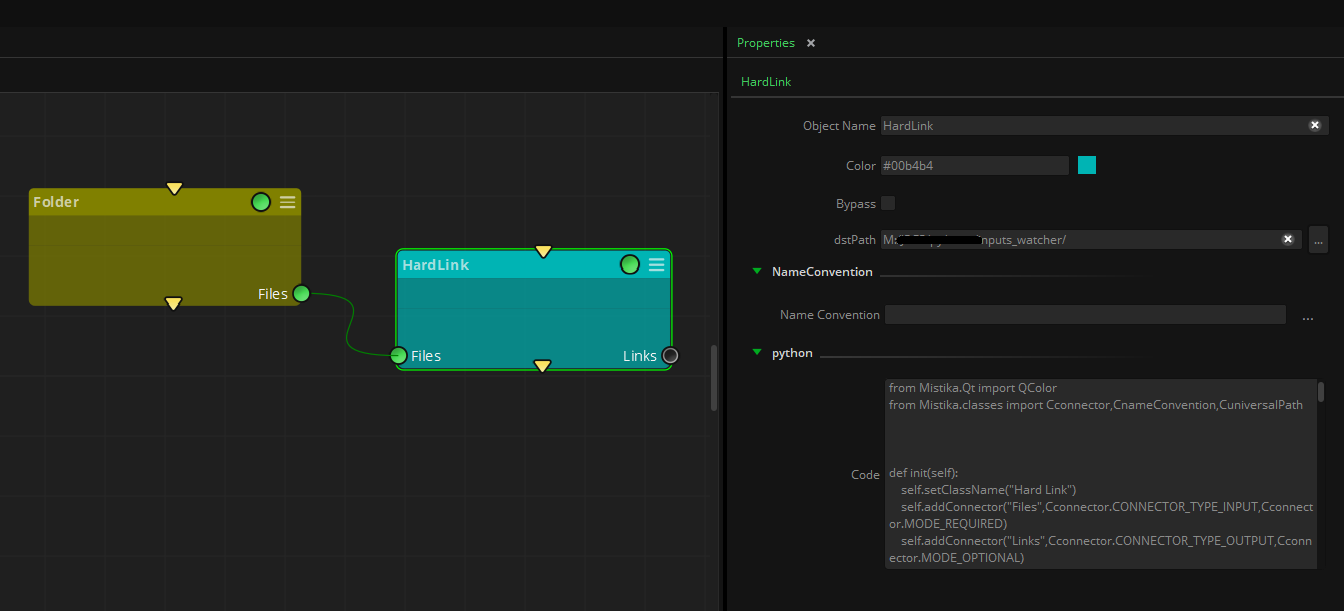
This node creates a hard link of the input files to the desired path destination.
This can be useful in certain situations where we have all the original media in one folder location and we want to also have it in a different folder, but we do not want to move it or make a copy of it.
Creating a hard link offers an efficient solution, treating the link as the original file without consuming additional storage space. It is ideal for scenarios such as consolidating media in an EDL/XML/AAF to a new folder or triggering a Watch Folder workflow by receiving the hard linked file.
It is highly efficient as the link is treated as if it was the original file, and it does not increase the storage usage.
To understand the difference between hard links and soft links, check out this article.
It is important to note that:
- A hard link will only work if the destination path is located in the same filesystem where the original file to be linked is.
- Modifying a file using the hard link will modify the original file as well.
- Only Linux and Windows are supported. Hard Links do not work on macOS environments.
Inputs
Files: The source files to create the links from.
Outputs
Links: File path of the links created.
Standard properties
Object Name
Color
Bypass
Lock
Name Convention
Python standard properties
code
NOTE: An introduction to all the Python tools in Mistika Workflows is available in the Python scripting tools section.
Node specific properties
dstPath: Destination folder where the links will be created. If the source files are enumerated sequences, it will automatically create a folder with the same file name containing the links.
Developer reference (Python - HardLink.[Property ID], API Rest - node/HardLink/property/[Property ID])
Property Label |
Property ID |
Dst Path |
dstPath |