Purpose
For each input file this node calculates its checksum using the specified algorithm, and it generates or validates its checksum file in a Mhl format (Mhl is a particular XML standard for checksum files). A .mhl checksum file is a file with the same name but with a .mhl extension added at the end.
Note: This node is a bit different than the generic checksum node, note that the MhlChecksum node provides independent control for the checksum files, which can be required in more advanced workflows (see below).
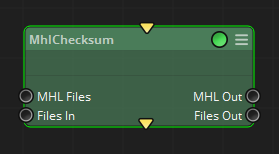
It can work in two modes:
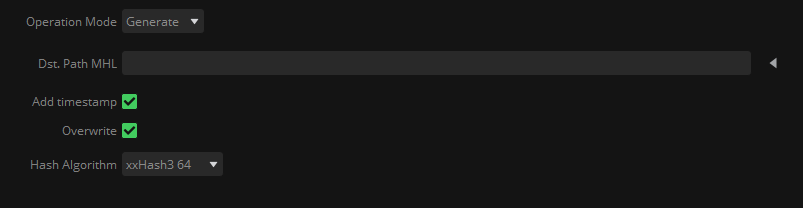
Generate: In this mode, the node will take all files in its ‘Files In’ input connector, and calculate the selected Hash Algorithm for each one of them. As result, it will generate a .mhl chain checksum file in the desired ‘dst path MHL’ location, and it will place in the output ‘Files Out’ connector the calculated input files, as well as the generated .mhl file in the output ‘MHL Out’ connector:
Validate: In this mode, the node will take all files in the input ‘Files In’ connector, as well as all .mhl checksum files in the input ‘MHL Files’ connector. Then, it will look for all referenced files in each .mhl, calculate its hash, and compare it with the hash value contained in the .mhl file.
Those files that fail the validation will be marked as FailedUPs, and won’t be placed in the output ‘Files Out’ connector.
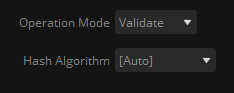
As the hash algorithm could not be known (or there might be several of them in the .mhl files), it is recommended to set it as ‘Auto’ when working in this mode:

As a use case, this node can be used in ingest workflows, where a disk containing OMF from the shooting (usually from a DIT station) comes already verified with .mhl files. In this scenario, the copy done in the laboratory must be verified against those .mhl files before deleting the content of the original disk.
Therefore, the workflow to achieve such purpose should look something like this:
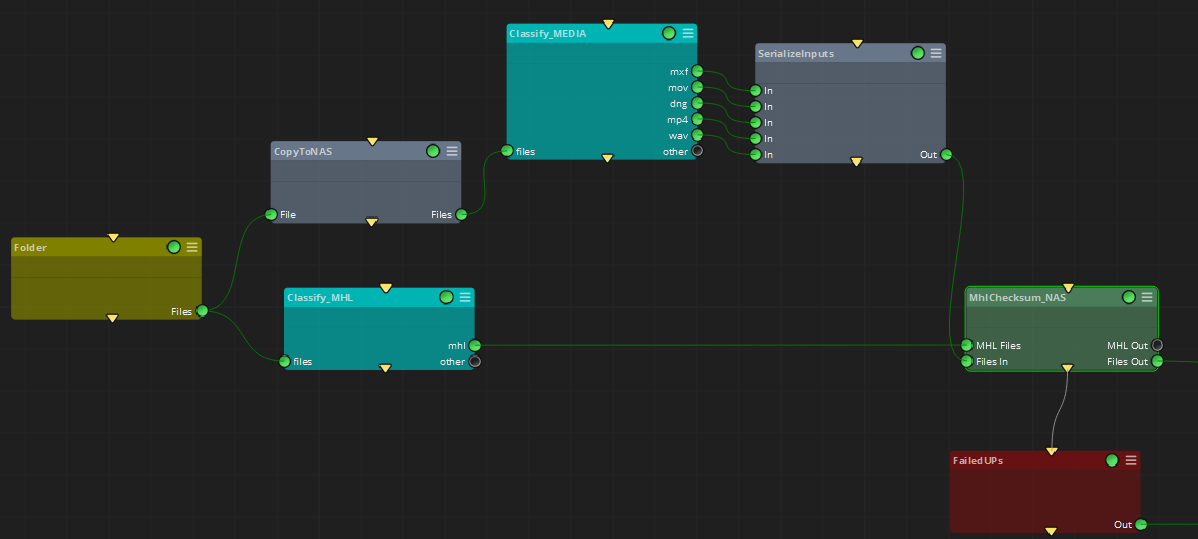
It can be observed that:
oThe ‘Folder’ node points to the received disk with the OMF and .mhl files.
oAll Folder’s content is copied to another location
oAll .mhl files contained in the Folder node are classified to use later
oAfter the copy to another location, all media files are classified and put together to feed the MhlChecksum node with them (note that this step can vary depending on the .mhl included in the original disk: if it contains all files’ hashes, not only media, then probably this classifier can be skipped)
oThe MhlChecksum node is fed with the .mhl files contained in the original disk, and the copied files to the new location. If some hash computation fails, the failed file will be gathered by the FailedUPs node.
Inputs
Mhl Files: Pre-existing mhl files containing hash information to be processed.
Files In: Input files to be processed: either generating a .mhl file with them, either to validate them with .mhl files received through the input ‘Mhl Files’ connector.
Outputs
Mhl Out: Generated .mhl files, or received .mhl files through the input ‘Mhl Files’ connector, depending on the selected Operation mode (Generate or Validate)
Files Out: Computed files that match the expected hash found in the .mhl file.
Standard properties
Object Name
Color
Bypass
Lock
Node specific properties
Operation Mode: Desired behaviour for the node regarding mhl files: Generate or Validate
Dst Path MHL: Output path location for the generated mhl files.
Add timestamp: To add a timestamp to the output .mhl file name.
Overwrite: To overwrite existent .mhl output files.
Hash Algorithm: the algorithm used to generate or validate the .mhl files. When in ‘Validate’ operation mode, it can be set as ‘Auto’.
Developer reference (API Rest - node/MhlChecksum/property/[Property ID])
Property Label |
Property ID |
Operation Mode |
mode |
Dst. Path MHL |
dstPath |
Add timestamp |
addtimestamp |
Overwrite |
overwrite |
Hash Algorithm |
crcType |