Purpose
Download content from a Massive.io platform account
A tutorial about the MASV node is here: https://youtu.be/DhF_SNIAtG4
Note: To access Massive.io you need to have created an account on this platform. In addition, you will need to have a API Key to access your account from the Workflows node.
It is also required to indicate your Team ID, which can be retrieved from the browser's url once logged in in your massive.io account:

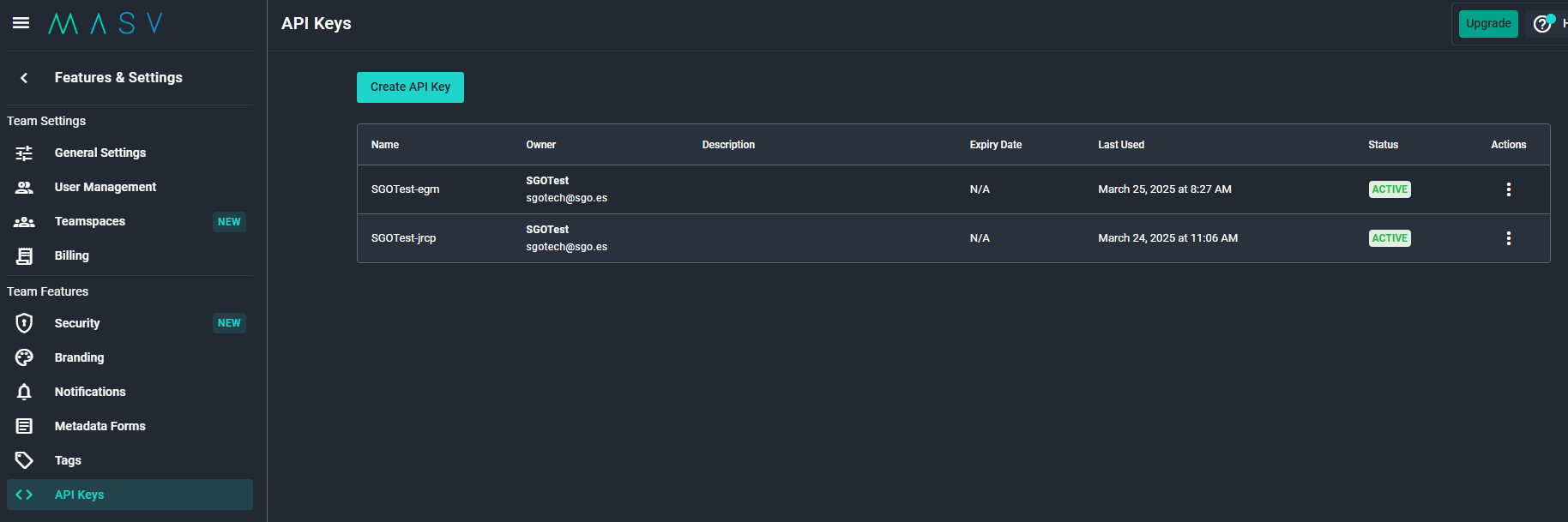
An easy way to configure the authentication credentials is to store them in the Workflows -> Workflows Credentials Manager, which permits to store credentials and re-utilize them later by simply selecting their name in the node contextual menu (right click on the node) -> Credentials list.
Outputs
dstFiles: Downloaded files.
Standard properties
Object Name
Color
Lock
Bypass
Python standard properties
code
This node is written in Python, and the source code is provided for additional flexibility.
Node specific properties
Destination Path: Where to place downloaded files
New Files Only: Do not download already existing files.
Download ZIP: Compress files into a .zip package.
Filters:
Domain: Massive IO domain.
Filter mode (text, glob, regular expression) : Select the syntax to be used in the below filters, (to select files to be downloaded)
Filter Package Name: Filter by package name (Transfer History)
Filter Filename: Filter by filename.
Config:
Team ID: ID of massive.io account, it can be retrieved from the browser's url once logged in.
API Key: Key generated in the massive.io account to be used.
Chunk Size: MB of data to be used per each download fragment. Optimal values will depend on the available bandwidth.
Threads: Number of download threads to use in parallel (for faster downloads, at the cost of extra system resources)
Check Render log and Script Editor panels for execution details.
You can access more detailed information about massive.io by clicking Here.
Developer reference (Python - MASVIn.[Property ID], API Rest - node/MASVIn/property/[Property ID])
Property Label |
Property ID |
Destination Path |
dstPath |
New Files Only |
NewFilesOnly |
Download ZIP |
DownloadZIP |
Domain |
domain |
Filter Mode |
filterMode |
Filter Package Name |
filterpackagename |
Filter Filename |
filterfilename |
Team ID |
teamID |
API Key |
apiKey |
Chunk Size |
chunksize |
Base API URL |
baseAPIUrl |
Threads |
threads |