Purpose
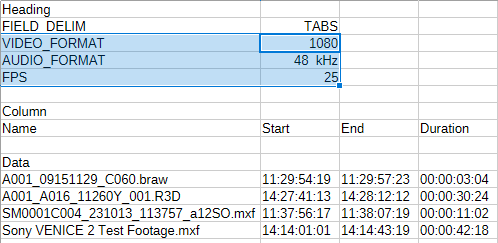
This node takes input files from any other node, such a Folder node or a previous transcode node, and generates an .ale file with several columns with metadata information contained in those files. It can also generate a single .ale file per input file.
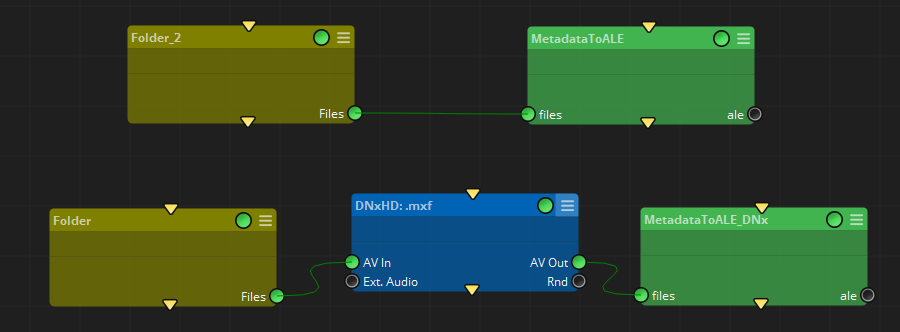
The heading of the .ale file can be defined manually with their respective drop-down options, or it can be filled with the information of the file processed.
When the toggle 'fromFile' is activated, the drop-down menus will not be available:
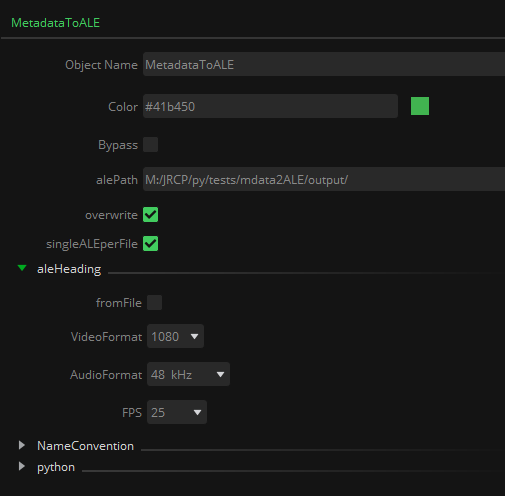
Note that, in the case of processing multiple files to generate one single .ale file, and with the Heading 'fromFile' option activated, it will only be taken into account the values of the last file processed. Therefore, it is recommended to generate an individual .ale per file when processing files in different formats regarding resolution, audio format, or fps.
Inputs
files: input files with their associated metadata, given in UP / Universal Paths format, to be converted to .ale format.
Outputs
ale: The generated .ale file(s)
Standard properties
Object Name
Color
Bypass
Lock
Name Convention
Python standard properties
code
NOTE: This is a Python node, with source code provided in this property. An introduction to all the Python tools in Mistika Workflows is available in the Python scripting tools section.
Node specific properties
alePath: Folder to store the .ale file created by this node. The output .ale file name will be constructed as alePath/tabNameNodename.ale
overwrite: If that .ale already exists, this property decides if it can be overwritten.
singleALEperFile: Option to generate a single .ale file per input file, as a sidecar file.
aleHeading:
fromFile: Toggle to get the values of Video format, Audio format, and fps automatically from the processed file’s metadata.
VideoFormat: Drop down menu to select manually the vertical resolution
AudioFormat: Drop down menu to select manually the audio sample rate
FPS: Drop down menu to select manually the frame rate.
Developer reference (Python - MetadataToALE.[Property ID], API Rest - node/MetadataToALE/property/[Property ID])
Property Label |
Property ID |
ALE Path |
alePath |
Overwrite |
overwrite |
Single ALE per File |
singleALEperFile |
From File |
fromFile |
Video Format |
VideoFormat |
Audio Format |
AudioFormat |
FPS |
FPS |