Purpose
This node allows you to download files from Azure Storage.
An easy way to configure the authentication credentials is to store them in the Workflows -> Workflows Credentials Manager, which permits to store credentials and re-utilize them later by simply selecting their name in the node contextual menu (right click on the node) -> Credentials list.
Outputs
Out: To pass downloaded files to other nodes.
Standard properties
Object Name
Color
Bypass
Lock
Python standard properties
code
Schema name
Node specific properties
connectionString: The Azure connection string to your Azure storage object. You will need to get it from the "Access Keys" section of your Azure storage.
Below is an example image from Azure interface showing the "connection string" key (note that this interface could have changed over the time).
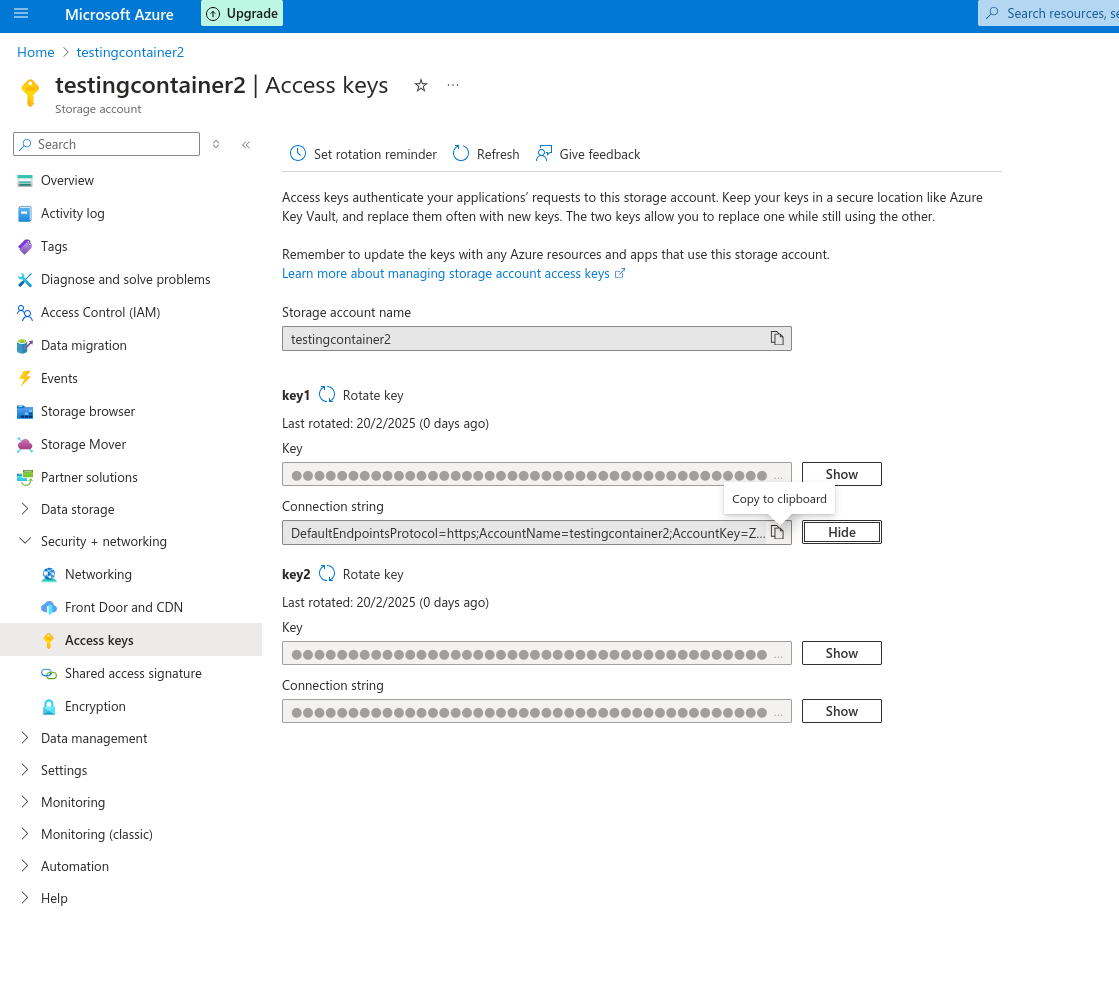
container: Azure storage container from which you want to download files.
blobPrefix: Azure storage permits to associate blob-prefix keywords to your files, which you can use here. Leave this field empty to download all the contents. Or type Azure blob-prefix to filter the files you want to download.
Local Path: To assign the folder where the downloaded files will be placed.
Include subdirectories: Permit to also download complete subdirectories, not only files.
Delete After Dowload: This option deletes the original files after the file transfer. When this option is activated, a new field is displayed ("Are you Sure?·) asking you for a confirmation as a security measure.
Developer reference (Python - AzureIn.[Property ID], API Rest - node/AzureIn/property/[Property ID])
Property Label |
Property ID |
Local Path |
localPath |
Container |
container |
Blob Prefix |
blobPrefix |
Include Subdirectories |
includeSubdirectories |
Delete After Download |
deleteAfterDownload |
Are You Sure |
areYouSure |
Connection String |
connectionString |